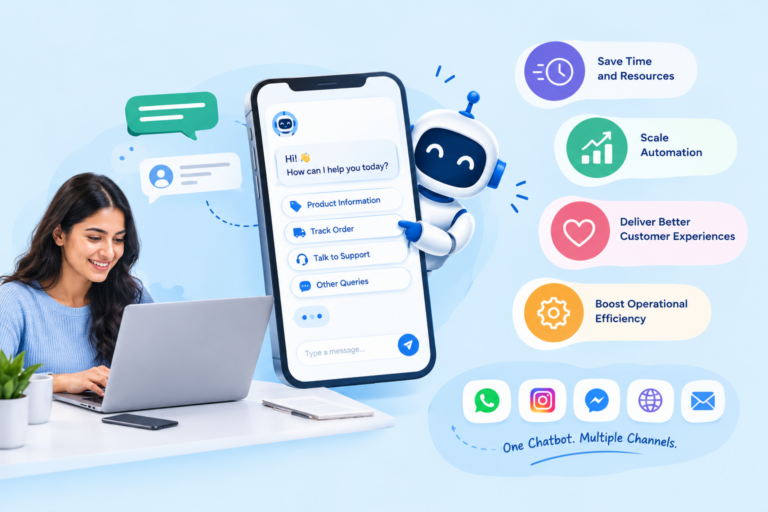
WhatsApp Webhooks: How Skyfree Enables Real-Time Business Automation
WhatsApp has become an important communication channel for businesses, but simply receiving customer messages is not enough. Businesses need to know when customers send messages, interact with conversations, or receive updates so they can respond at the right time.
This is where WhatsApp Webhooks come into play.
WhatsApp Webhooks allow business applications to receive real-time notifications when specific events occur. Instead of constantly checking WhatsApp for updates, your application can receive the information automatically and use it to trigger the next action.
With Skyfree, businesses can use webhook-based events to build faster customer communication, connect WhatsApp with business systems, and create automated workflows that respond to customer activity in real time.
What Are WhatsApp Webhooks?
A WhatsApp webhook is a mechanism that sends information about WhatsApp events to a business application through an HTTP request.
In simple terms, a webhook acts like a bridge between WhatsApp and your business software.
The basic flow looks like this:
Customer Action → WhatsApp → Webhook → Business Application → Automated Action
For example, when a customer sends a message to a business, a webhook can notify the connected application. The application can then process the message and decide what action should happen next.
This makes webhooks particularly useful for businesses that need real-time communication and automation.
How Do WhatsApp Webhooks Work?
WhatsApp webhook automation follows an event-driven process. Whenever a supported event occurs, the information can be delivered to the configured webhook endpoint.
Step 1: A Customer Sends a Message or Takes an Action
The process begins when a customer interacts with a business through WhatsApp.
For example, a customer might ask:
“Where is my order?”
or
“I want to know more about your pricing.”
Step 2: WhatsApp Generates an Event
WhatsApp processes the customer’s activity and generates the relevant event information.
The event can contain details that help the connected application understand what happened.
Step 3: The Webhook Sends the Event to Your Application
The webhook endpoint receives the event notification.
Your application can then access the information and determine how to respond.
Step 4: Your Application Processes the Event
The application can analyze the incoming event and connect it with other business systems.
For example, it could:
- Identify the customer
- Check previous conversations
- Look up an order
- Identify customer intent
- Create a support ticket
- Update a CRM record
Step 5: An Automated Action Is Triggered
Once the event is processed, the appropriate workflow can begin.
For example:
Customer asks about an order → Webhook receives message → Order system checks status → WhatsApp response is sent
This allows businesses to create faster and more consistent customer experiences.
What Information Can WhatsApp Webhooks Deliver?
Webhook events can provide information about different activities happening within a WhatsApp business communication flow.
Incoming Messages
When a customer sends a message, the webhook can notify your application.
This can support:
- Automated replies
- AI chatbot conversations
- Lead qualification
- Customer support
- Sales automation
For example, a customer asking about a product can automatically enter a predefined sales workflow.
Message Status Updates
Businesses may also need to know what happened to a sent message.
Status information can help businesses understand whether a message has been:
Sent → Delivered → Read
This information can be useful for monitoring campaigns and understanding customer engagement.
Customer Interactions
Customers can interact with supported WhatsApp messaging experiences in different ways.
Webhook events allow connected applications to respond to these interactions and continue the appropriate workflow.
For example:
Customer selects an option → Event received → Choice processed → Next message triggered
Why Are WhatsApp Webhooks Important for Businesses?
Webhooks are more than a technical feature. They can become the foundation of real-time business automation.
Faster Customer Responses
Customers expect businesses to respond quickly.
Webhook-based automation allows a business system to react as soon as an event is received instead of waiting for someone to manually check the conversation.
Real-Time Notifications
Businesses can receive important communication events and use them to notify the right team or trigger an automated process.
This is especially useful for sales and support teams.
Automated Customer Journeys
A customer’s WhatsApp activity can become the starting point for an automated journey.
For example:
New inquiry → Welcome message → Product information → Lead qualification → Sales follow-up
Better Team Coordination
Webhook events can be connected with internal systems to notify the appropriate employee when human assistance is required.
This helps teams focus on conversations that actually need their attention.
Seamless Business Integrations
WhatsApp communication can be connected with CRM, e-commerce, customer support, and other business systems.
This creates a more connected customer communication ecosystem.
How Skyfree Uses WhatsApp Webhooks for Automation
Skyfree can help businesses build WhatsApp workflows around real-time events.
Instead of treating WhatsApp as an isolated messaging channel, businesses can connect conversations with their existing processes.
Automating Customer Conversations
When customers send messages, webhook events can help trigger automated responses.
For common questions, businesses can use chatbot workflows to provide immediate assistance.
For example:
Customer: “What are your business hours?”
Webhook event → Automation workflow → Instant response
This reduces the need for employees to manually answer repetitive questions.
Connecting WhatsApp With CRM Systems
Customer conversations often contain valuable sales and support information.
Webhook events can help businesses pass relevant information into their CRM systems.
A workflow could look like:
WhatsApp inquiry → Webhook → CRM → Lead created → Salesperson notified
This helps ensure that new opportunities are not lost inside individual conversations.
Managing Sales Leads
A WhatsApp conversation can be the beginning of a sales opportunity.
When a potential customer shows interest, the connected system can:
- Create a lead
- Record customer information
- Assign the lead
- Notify the sales team
- Start a follow-up workflow
This can shorten the time between customer interest and sales action.
Streamlining Customer Support
Customer support teams can use webhook events to route conversations into support workflows.
For example:
Customer message → Webhook → Support system → Ticket created → Agent assigned
The customer does not need to repeat their issue across multiple channels.
Automating Order-Related Queries
E-commerce businesses can connect WhatsApp with their order management systems.
A customer could ask:
“Can you tell me my order status?”
The workflow could automatically identify the customer, retrieve the relevant order information, and send the latest status through WhatsApp.
WhatsApp Webhooks for Lead Generation and Sales
WhatsApp can play an important role in converting customer interest into sales.
Capture New Leads Automatically
When someone starts a conversation about a product or service, the webhook event can trigger a lead-generation workflow.
The system can record the conversation and create a new lead in the connected CRM.
Assign Leads to Sales Teams
Not every lead should go to the same salesperson.
Businesses can create rules based on factors such as:
- Product interest
- Location
- Lead source
- Customer type
- Availability of sales representatives
This can help route leads more efficiently.
Trigger Follow-Up Messages
If a customer expresses interest but doesn’t complete the next step, an automated workflow can trigger an appropriate follow-up.
For example:
Customer inquiry → Lead created → No further action → Follow-up workflow
This helps businesses maintain engagement without requiring sales teams to manually track every conversation.
WhatsApp Webhooks for Customer Support
Customer support is another area where real-time events can make a significant difference.
Create Support Tickets Automatically
Instead of asking an employee to manually create a ticket from every WhatsApp conversation, webhook-driven workflows can send relevant information to the support system.
Route Conversations to the Right Team
A customer asking about billing may need a different team from someone reporting a technical problem.
Webhook-based workflows can help identify the conversation type and route it appropriately.
Combine Chatbots With Human Support
Automation doesn’t have to replace human support.
A better approach is to let automation handle simple requests while escalating complex conversations to human agents.
For example:
Customer question → AI chatbot → Issue identified → Human agent required → Conversation escalated
This gives customers faster assistance while allowing support teams to focus on more complex cases.
WhatsApp Webhooks vs Polling: What’s the Difference?
Businesses can use different approaches to detect activity from an external system.
How Polling Works
With polling, an application repeatedly asks whether new information is available.
For example:
“Is there a new message?”
Then a short time later:
“Is there a new message now?”
Repeating these requests can consume resources and may introduce delays.
How Webhooks Work
Webhooks use an event-driven approach.
Instead of repeatedly asking whether something happened, the application waits for the event notification.
The process becomes:
Event occurs → Notification sent → Application responds
Why Webhooks Are Better for Real-Time Automation
For event-driven communication, webhooks can provide a more efficient architecture because the application can react when an event occurs.
This is particularly valuable for:
- Customer support
- Sales automation
- Notifications
- Chatbots
- Order updates
- CRM synchronization
WhatsApp Webhook Best Practices
A reliable webhook setup requires more than simply creating an endpoint.
Use a Reliable Webhook Endpoint
Your webhook endpoint should be available consistently and capable of handling incoming requests.
Downtime can prevent important events from being processed.
Verify Incoming Requests
Your application should verify incoming webhook requests using the authentication and verification mechanisms supported by your WhatsApp integration.
This helps prevent unauthorized requests from being processed.
Respond to Webhook Requests Quickly
Webhook endpoints should acknowledge requests promptly.
If additional processing takes time, consider handling longer tasks asynchronously rather than making the webhook request wait unnecessarily.
Prevent Duplicate Event Processing
Systems should be designed to handle duplicate events safely.
For example, if the same event is received more than once, the system should avoid sending duplicate customer messages or creating multiple identical CRM records.
Monitor Failed Webhook Events
Monitoring is essential for reliable automation.
Businesses should keep track of:
- Failed requests
- Processing errors
- Authentication problems
- Endpoint downtime
- Unexpected event data
Good logging makes troubleshooting much easier.
Protect Customer and Business Data
WhatsApp conversations can contain important customer information.
Businesses should use secure connections, appropriate access controls, and responsible data-handling practices when processing webhook information.
Common WhatsApp Webhook Challenges
Webhook automation can be powerful, but businesses may encounter technical challenges during implementation.
Webhook Configuration Errors
Incorrect endpoint configuration can prevent events from reaching your application.
Authentication and Verification Issues
Incorrect credentials or verification settings can cause webhook requests to fail.
Failed or Delayed Events
Temporary server problems or connectivity issues can affect event processing.
A reliable system should have appropriate error-handling and retry strategies.
Duplicate Events
The same event may sometimes need to be handled more than once.
Your application should therefore use suitable event-handling logic to prevent duplicate actions.
Endpoint Downtime
If your webhook endpoint becomes unavailable, incoming events may not be processed as expected.
Monitoring and reliable infrastructure are important for minimizing interruptions.
Poor Error Handling
Without proper logging and error handling, identifying the cause of webhook failures can become difficult.
A well-designed system should make it easy to identify, investigate, and recover from failures.
How Skyfree Helps Build Smarter WhatsApp Automation
The real benefit of WhatsApp Webhooks comes from connecting events with useful business actions.
Skyfree can be used as part of workflows that connect WhatsApp communication with automation and business systems.
Real-Time Event Processing
Webhook-driven workflows allow businesses to react to customer activity without relying entirely on manual monitoring.
AI-Powered Customer Conversations
Incoming customer messages can become triggers for AI-powered conversational workflows.
This can help businesses provide immediate answers to common questions and guide customers through the next step.
Connected Business Workflows
WhatsApp can be connected with CRM, sales, support, and e-commerce workflows.
This reduces the gap between customer communication and internal business operations.
Automated Notifications and Follow-Ups
Webhook events can trigger notifications and follow-up workflows based on customer activity.
This helps businesses maintain consistent communication throughout the customer journey.
Real-World WhatsApp Webhook Use Cases
Webhook-based automation can be applied across many industries and business processes.
E-Commerce Order Updates
Customers can receive order-related updates or request information through WhatsApp while connected systems retrieve the relevant details.
Lead Qualification
New inquiries can automatically enter lead qualification workflows based on customer responses.
Customer Support
Customer requests can be routed to chatbots or human support agents based on the type of issue.
Appointment Notifications
Businesses can connect appointment-related events with WhatsApp notifications and reminders.
Payment and Transaction Updates
Businesses can use event-driven workflows to communicate relevant transaction information through WhatsApp where appropriate.
Why Businesses Should Use WhatsApp Webhooks
Modern customer communication requires more than sending messages.
Businesses need systems that can detect customer activity, understand what happened, and take the right action quickly.
That’s what makes WhatsApp Webhooks valuable.
With webhook-based automation, businesses can move from:
Manual Monitoring → Event-Driven Automation
Delayed Responses → Real-Time Actions
Disconnected Systems → Connected Workflows
Repetitive Tasks → Automated Processes
When combined with Skyfree, WhatsApp webhook events can become an important part of a scalable customer communication strategy.
Final Thoughts
WhatsApp Webhooks provide the connection between customer activity and business automation.
Whenever a supported WhatsApp event occurs, webhook notifications can help your application react and trigger the next step automatically.
For businesses, the value isn’t simply in receiving an event. The real opportunity is turning that event into a meaningful action—whether that’s responding to a customer, updating a CRM, creating a support ticket, notifying a sales representative, or continuing an automated journey.
With Skyfree, businesses can build WhatsApp communication workflows that are more responsive, connected, and automation-ready.
The future of business messaging isn’t just about sending messages. It’s about responding intelligently to every customer interaction.